Fixing High CPU Usage from kworker (i915 Hotplug Loop) on a hacked DS918+ (J3710)
Posted onIntutorialViews: Word count in article: 5.7kReading time ≈5 mins.
Recently I just noticed that my NAS (hacked DS918+ running on Intel J3710) CPU load staying around 2.0+ even though almost nothing was running after rebooting. After checking with htop, one kernel thread was constantly consuming CPU.
Identify the High CPU Process
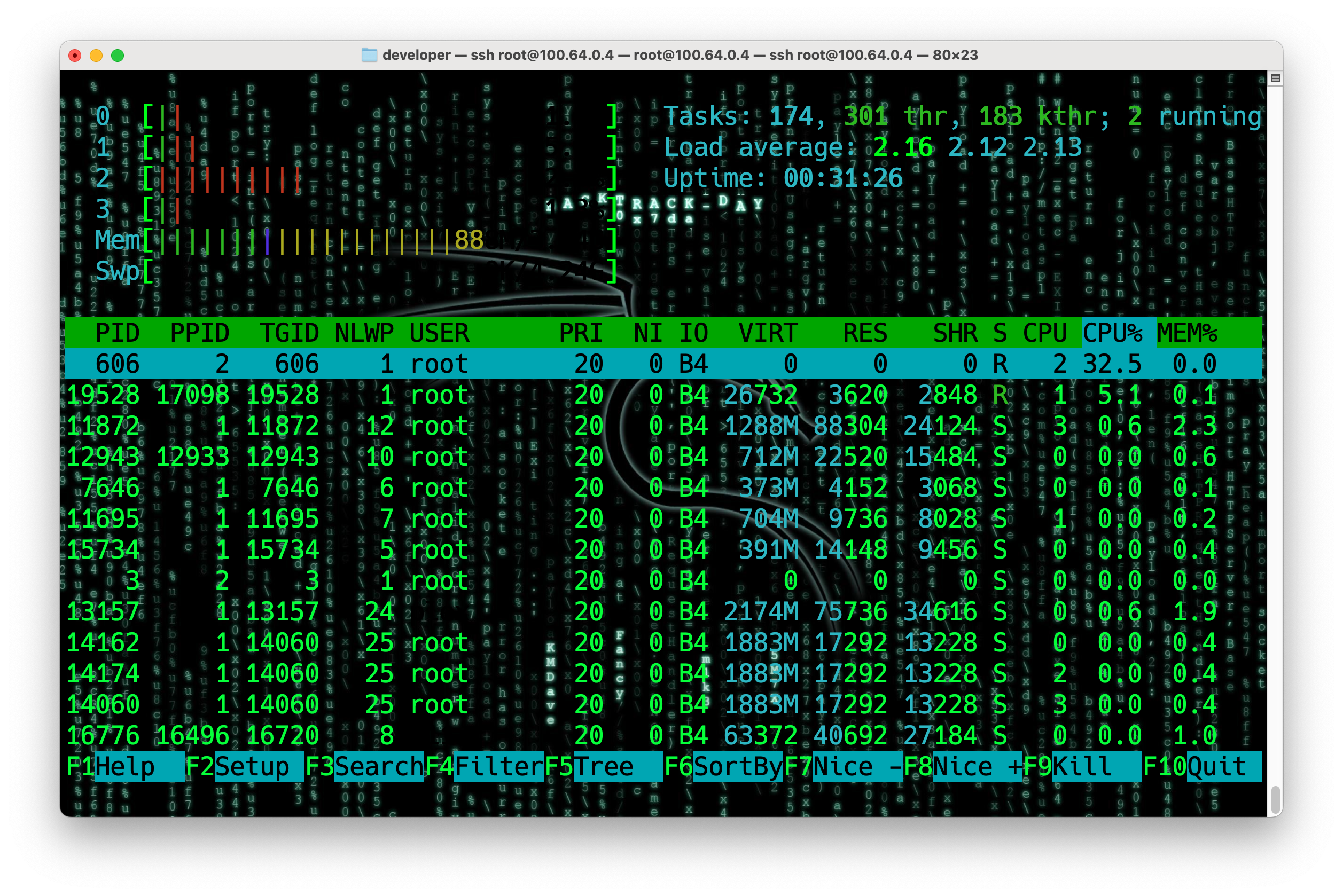
htop shows:
Process with PID 606 shows high CPU usage. Then I checked the process details with ps:
The result shows that CPU usage is coming from the Intel i915 graphics driver, which is trying to detect a display connected to the GPU. Since this is a headless NAS without any display, the driver keeps probing for a display and causes high CPU usage.
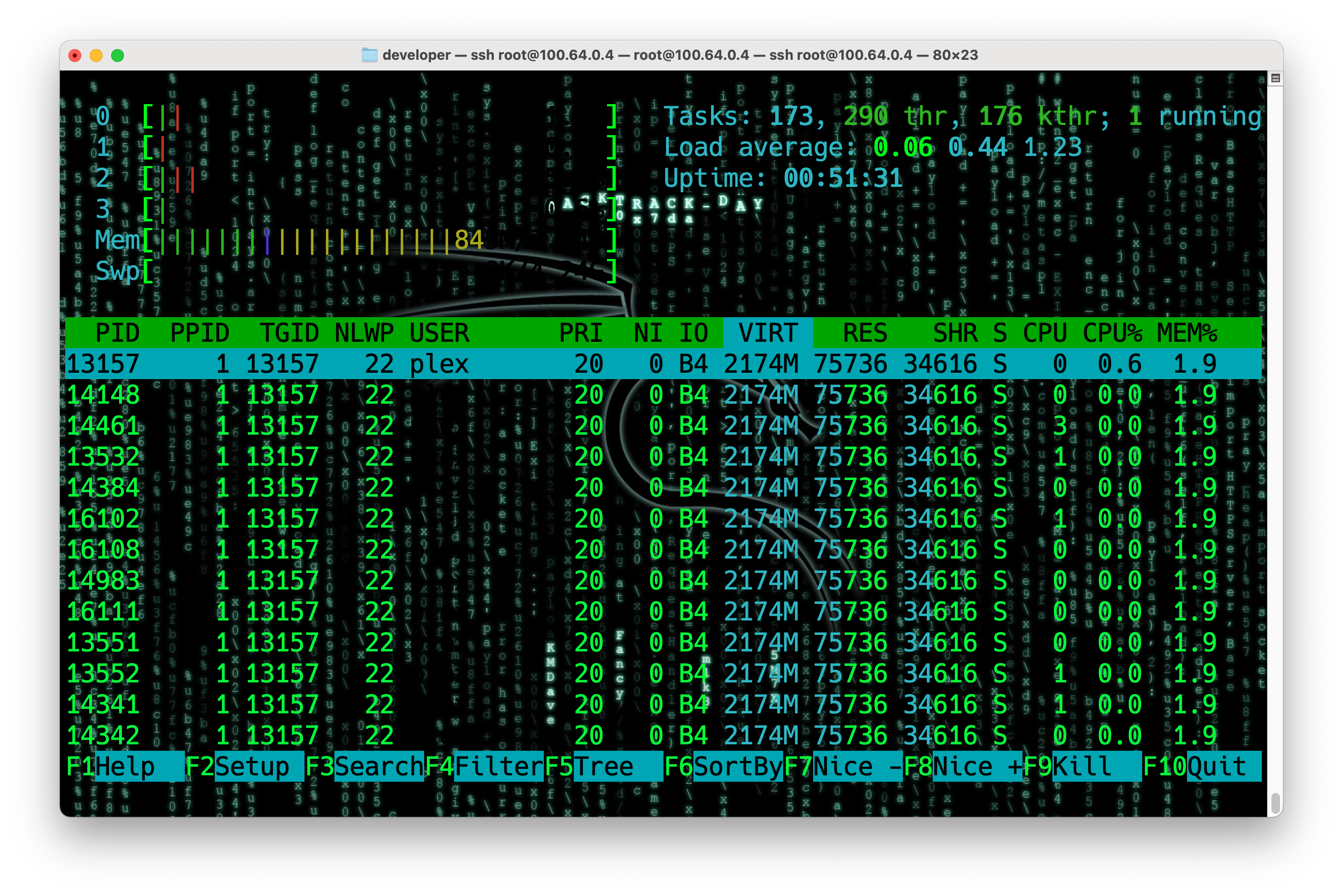
Then check the CPU usage again with htop, the kworker thread should no longer consume high CPU.
Make the Fix Persistent
event the issue after reboot, create a startup script.
1
vim /usr/local/etc/rc.d/unbind_i915.sh
Add the following content to the script:
1 2 3 4 5 6 7
#!/bin/sh
GPU="0000:00:02.0"
if [ -e /sys/bus/pci/drivers/i915/$GPU ]; then echo$GPU > /sys/bus/pci/drivers/i915/unbind fi
1
chmod +x /usr/local/etc/rc.d/unbind_i915.sh
This script will run at startup and unbind the i915 driver from the GPU, preventing the high CPU usage issue from occurring again.
Feeling
This NAS was bought at September 08, 2022, which has been running for more than 3.5 years. It is very interesting I only noticed this issue recently. I hope this article can help others who encounter the same problem.